Phone:
(701)814-6992
Physical address:
6296 Donnelly Plaza
Ratkeville, Bahamas.

Phone:
(701)814-6992
Physical address:
6296 Donnelly Plaza
Ratkeville, Bahamas.
If you run an online store with WooCommerce, you need to show customer reviews. Reviews help buyers trust your products. Using a WooCommerce Plugin for Reviews makes this easy. In this article, I explain the best plugins for reviews on your WooCommerce store.
Reviews let customers share their thoughts about products. They help others decide to buy. Here are some reasons reviews matter:
A WooCommerce Plugin for Reviews is a tool you add to your WordPress website. It helps you collect, display, and manage product reviews. These plugins can add cool features like:
Using such a plugin makes your store look professional and trustworthy.
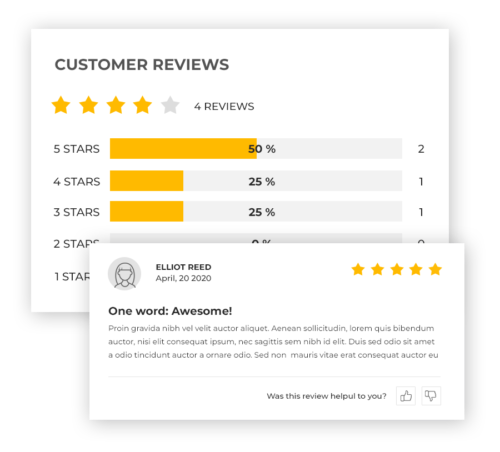
Credit: wp-rocket.me
Here are some of the best WooCommerce review plugins you can use today. I explain their features and why they are great.
| Plugin Name | Main Features | Price | Best For |
|---|---|---|---|
| WooCommerce Product Reviews Pro |
|
Paid ($79/year) | Stores wanting advanced reviews |
| YITH WooCommerce Advanced Reviews |
|
Free & Paid versions | Stores wanting flexible review options |
| Customer Reviews for WooCommerce |
|
Free & Paid versions | Stores wanting automated review collection |
| WP Review Pro |
|
Paid ($67 one-time) | Stores wanting stylish reviews and SEO boost |
Choosing the right plugin depends on your needs. Here are some tips to help:
Here is a simple guide to add a review plugin to your WooCommerce store:
Getting reviews is easy if you follow these tips:
Here are the main benefits you get from using a review plugin:
Most good plugins offer these features:
| Feature | Why It Matters |
|---|---|
| Star Ratings | Quick visual feedback for shoppers. |
| Photo and Video Reviews | Show real product usage to build trust. |
| Verified Buyer Badge | Proves the review is from a real customer. |
| Review Sorting and Filtering | Helps shoppers find relevant reviews fast. |
| Review Moderation | Keep your site clean from spam or fake reviews. |
| Rich Snippets Support | Boosts SEO with star ratings shown in Google. |
Yes. Many free plugins offer basic review features. Paid plugins add more options.
With rich snippets support, star ratings can show on Google.
Some plugins allow photos and videos in reviews to increase trust.
Use verified buyer badges and moderation to avoid fake feedback.
Good plugins are optimized to keep your site fast.
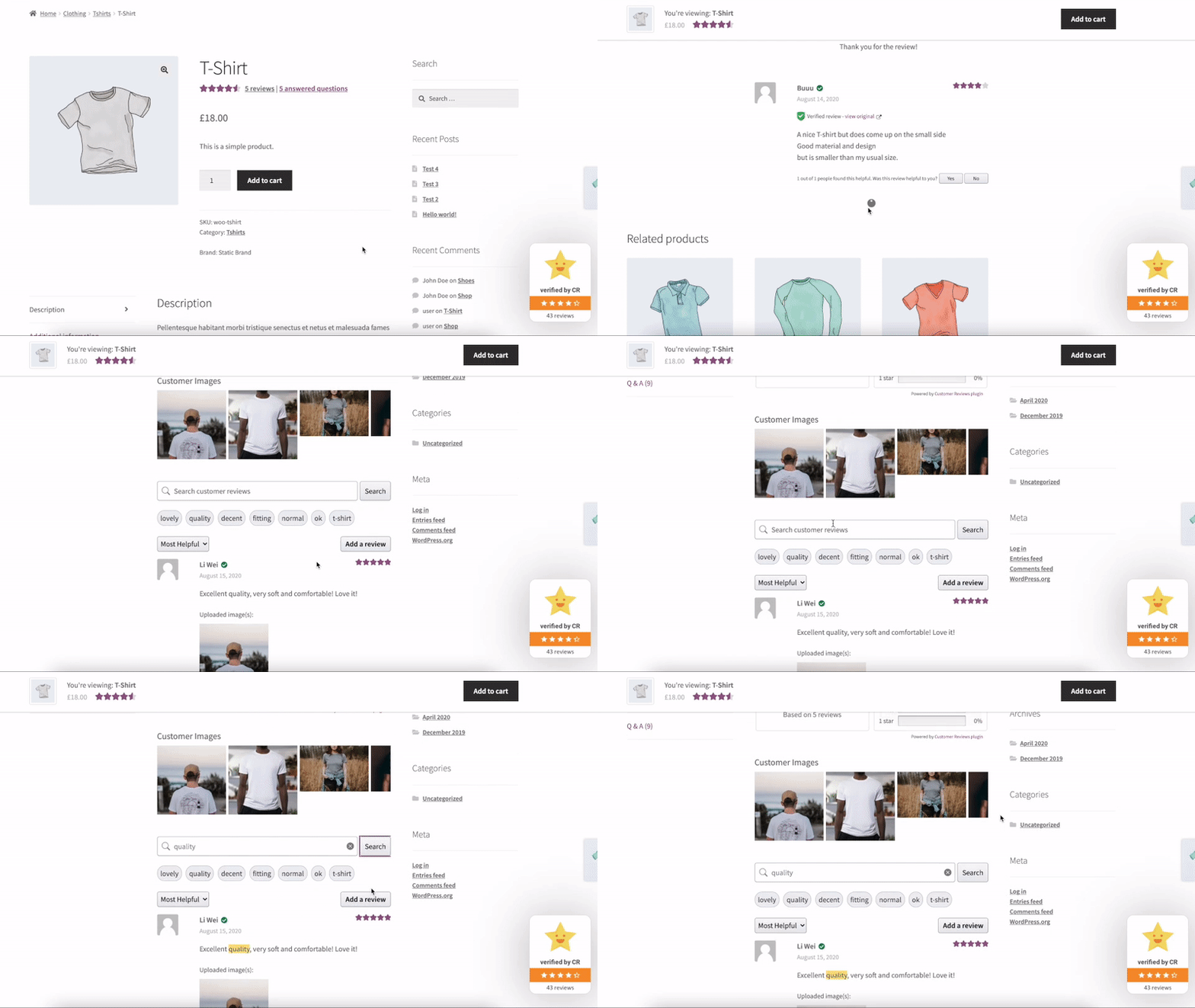
Credit: wordpress.org
A WooCommerce Plugin for Reviews is a must-have for online stores. It builds trust and helps customers buy. Choose a plugin that fits your needs and budget. Set it up easily in WordPress. Then start collecting honest reviews. Your store will look more reliable and get more sales.
Remember, reviews are the voice of your customers. Use the right WooCommerce plugin to let that voice shine!
A WooCommerce review plugin lets customers leave feedback on products. It helps build trust and boosts sales.
Review plugins show real customer opinions. This increases buyer confidence and encourages more purchases.
Yes, most plugins let you change form fields and design. This fits your store style.
Yes, installation is simple. Most plugins work with one-click setup and clear instructions.